DocsExcel
Group totals as SUBTOTAL formulas
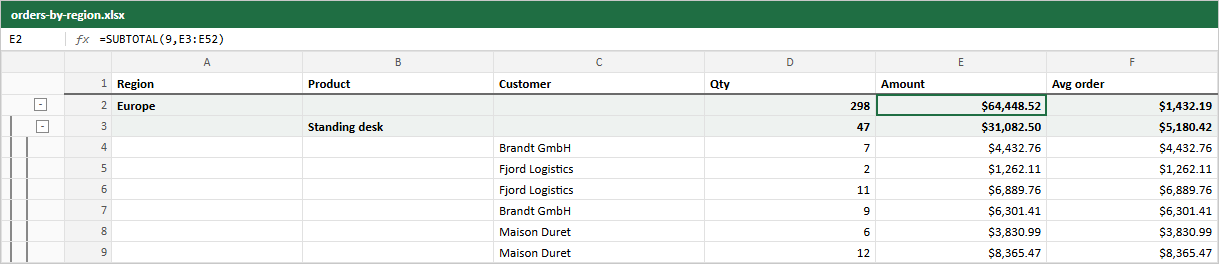
A group row's aggregates are written as live formulas over the rows below it, not as pasted numbers. If someone edits an amount in Excel, the group total updates.
In the image, Europe's amount is =SUBTOTAL(9,E3:E52). The range includes the product group rows inside Europe, and SUBTOTAL skips other SUBTOTAL cells, so nothing is counted twice.
Column aggregationFn |
Formula |
|---|---|
sum |
SUBTOTAL(9, ...) |
mean |
SUBTOTAL(1, ...) |
min |
SUBTOTAL(5, ...) |
max |
SUBTOTAL(4, ...) |
auto on a number column |
SUBTOTAL(9, ...) |
| anything else | the value TanStack computed |
Each formula is saved with its result too, so viewers that do not recalculate (previews, some mobile apps) still show the right number.
Columns without a numeric aggregate are empty on group rows.
Live example and sourceRun this in the browser and read the code behind it.Open →
Was this page helpful?
Thanks. To tell us more, write to info@jqwidgets.com.