DocsExcel
Number and date formats
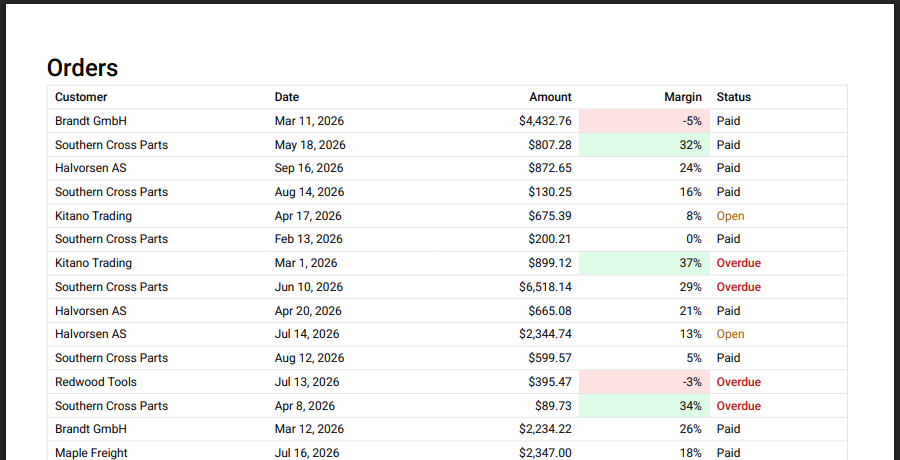
Excel and PDF need formats in different shapes, so a column can set both.
Excel: numFmt. An Excel number format code. The cell stays a number (or date) and Excel shows it formatted, so totals and filters still work.
meta: { rowpine: { numFmt: '"$"#,##0.00' } }   // $1,234.50
meta: { rowpine: { numFmt: "0.0%" } }           // 12.5% (store 0.125)
meta: { rowpine: { numFmt: "d mmm yyyy" } }     // 4 Mar 2026
Date columns default to yyyy-mm-dd. Without numFmt a number uses Excel's General format.
PDF: format. A PDF holds text, so give it the text you show on screen. Reusing the formatter your cell uses keeps the two the same:
const money = new Intl.NumberFormat("en-US", { style: "currency", currency: "USD" })

helper.accessor("amount", {
  cell: (c) => money.format(c.getValue()),
  meta: { rowpine: { numFmt: '"$"#,##0.00', format: (v) => money.format(v as number) } },
})
Without format, the PDF shows numbers and dates in the browser's locale. Empty cells never reach format.
Was this page helpful?
Thanks. To tell us more, write to info@jqwidgets.com.