DocsCSV
CSV export
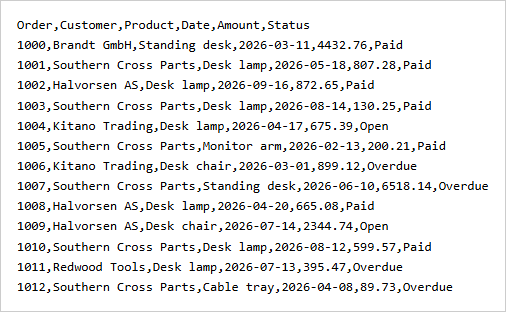
CSV export is free and needs no license key.
import { exportCsv, tableToCsv } from "rowpine"

await exportCsv(table, { fileName: "orders" })
const text = tableToCsv(table) // the same content as a string
CSV is for data, not for looking at, so it differs from the Excel and PDF files on purpose:
- One line per data row. Group header rows are left out, and grouped-by values (the region of each order) are kept.
- Numbers have no thousands separators; dates are
yyyy-mm-dd, oryyyy-mm-dd hh:mm:sswhen they have a time. - The file starts with a byte order mark so Excel reads accented letters.
bom: falseremoves it. - A value that starts with
=,+,-or@and is not a number gets a leading', so a spreadsheet does not run it as a formula.
| Option | What it does |
|---|---|
delimiter |
Field separator. Default ,. |
bom |
Byte order mark. Default true. |
Plus fileName, rows and download.
Was this page helpful?
Thanks. To tell us more, write to info@jqwidgets.com.