DocsExcel
Pinned columns become frozen panes
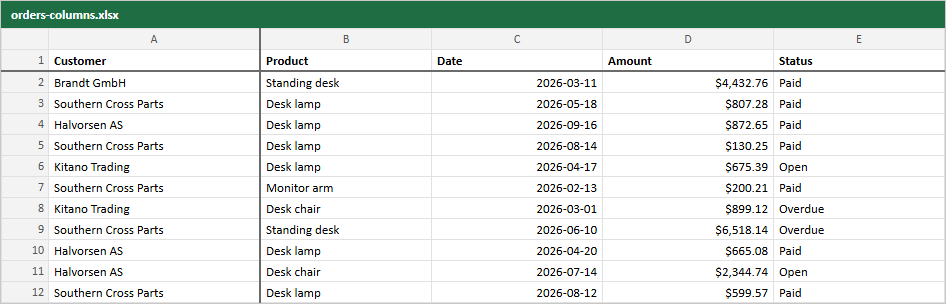
Columns pinned to the start (TanStack v9) or to the left (v8) are frozen in Excel, so they stay in view while the user scrolls right. The header row is always frozen.
const table = useTable({
  features,
  columns,
  data,
  initialState: { columnPinning: { start: ["customer"], end: [] } },
})
In the image the thick line after column A is the frozen pane edge: Customer stays put.
Columns pinned to the end are written last, after the other columns, and are not frozen. Excel can only freeze leading columns.
Live example and sourceRun this in the browser and read the code behind it.Open →
Was this page helpful?
Thanks. To tell us more, write to info@jqwidgets.com.