DocsGetting started
Installation
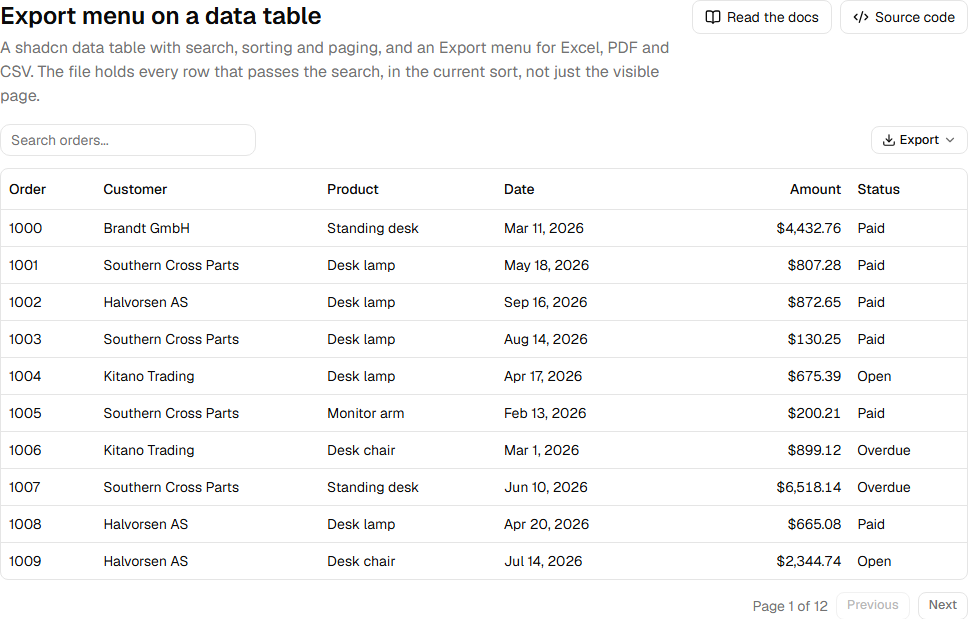
Rowpine has two parts. The rowpine npm package does the work: it reads your TanStack table and writes the files, and it builds pivots. The UI (an export menu, a pivot table and a pivot designer) comes from the shadcn registry, so its source lands in your project and picks up your theme.
npm install rowpine
npx shadcn add https://rowpine.com/r/export-menu.json
npx shadcn add https://rowpine.com/r/pivot.json
export-menu installs components/export-menu.tsx. pivot installs components/pivot-table.tsx and components/pivot-designer.tsx. Both pull in the shadcn components they use (button, dropdown-menu, table, popover and so on) if you do not have them yet.
Requirements#
- React 18 or 19 and a shadcn/ui project. Both shadcn bases work: Base UI, the default for new projects, and Radix.
- TanStack Table v8 (
useReactTable) or v9 (useTable). Rowpine reads the table you pass it and does not add TanStack as a dependency, so installing it never changes your TanStack version.
The Excel writer (JSZip) and the PDF writer (pdfmake) load the first time someone exports, so they do not add to your initial bundle.
Next#
Add the export menu to a table, then set your license key.
Live example and sourceRun this in the browser and read the code behind it.Open →
Was this page helpful?
Thanks. To tell us more, write to info@jqwidgets.com.